Your AI Just Got a Job Title: What OpenAI’s New “Dots” Mean for Your Store
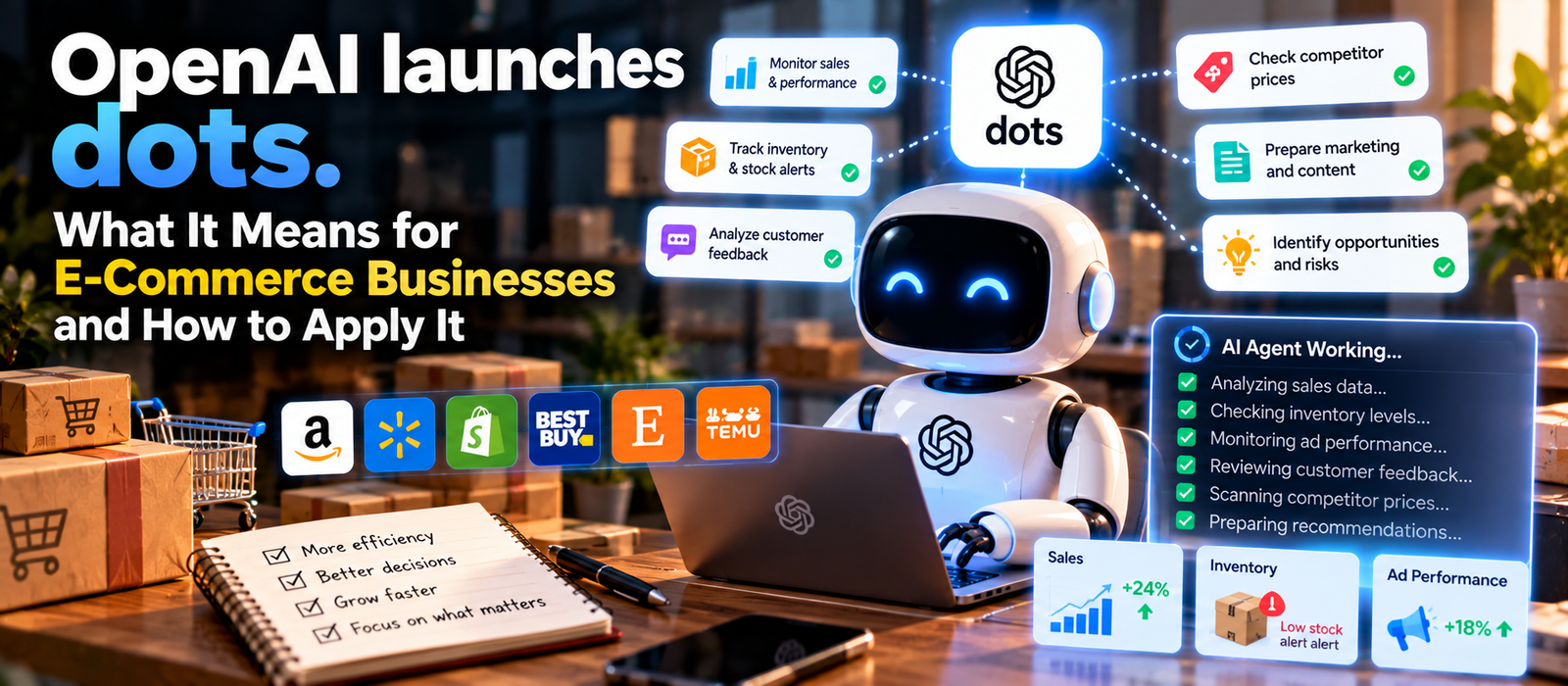
Imagine logging into work tomorrow and finding that an AI has already caught a stockout problem, flagged a struggling ad campaign, and drafted a fix, all before your coffee finished brewing.
That’s roughly the pitch behind OpenAI’s newest release. Most businesses have already used AI to write product descriptions, summarize reports, or draft emails. Dots, announced at OpenAI’s DevDay on September 29, point toward something different. Instead of waiting for you to ask a question, a dot is an always-on agent that keeps working toward an assigned job between conversations. It runs on its own cloud computer and browser, can connect to business apps, and can be set up so some actions happen automatically while others wait for your approval.
For e-commerce businesses, that’s a meaningful shift. We’re moving from asking AI to help with a task toward handing AI part of the operation to watch over. That could matter a lot more than another chatbot upgrade.
What is a dot, really?
With regular ChatGPT, you ask it to analyze yesterday’s sales, it gives you an answer, and tomorrow you ask again. A dot works differently. You could tell it to keep track of your store’s performance, flag unusual changes in sales, inventory, or advertising, and bring anything important to your attention. It keeps working on that job continuously, researching, analyzing data, and preparing documents even while your computer is off. You decide which apps it connects to and set rules for which actions it can take on its own.
Picture a store running one
Say you sell hundreds of products across several channels. Normally someone checks sales, inventory, ads, pricing, orders, returns, and feedback across a pile of separate dashboards and spreadsheets. A dot could instead open your day with something like this: sales on one product jumped 42%, but inventory might run out in eight days. Ad spend on another rose 31% while conversion dropped. A third has a promotion ending tomorrow with sales well above normal. Then it suggests what to do about each one.
The real value is knowing what needs attention
This might be the most useful part. You don’t need AI to report on everything happening in your business every day. You need it to tell you what actually deserves a look. If you’re tracking 500 SKUs and 485 are running fine, there’s no reason to review all 500. A dot could focus your attention on the 15 that show low stock, a sudden sales drop, an unexpected ad spend spike, a high return rate, or a pricing problem, then hand you a recommendation while you make the call.
Catalogs could get cleaned up automatically
Product catalogs constantly develop small problems: missing dimensions, inconsistent titles, outdated images, duplicate listings. Instead of running a catalog audit twice a year, a dot could flag these as they appear, noting that a batch of new products is missing dimensions or that a product’s warranty details don’t match across two systems. This matters even more now that AI shopping systems need clean, structured product feeds to understand and surface products accurately in the first place.
Inventory could get ahead of problems instead of reacting to them
Most smaller stores still catch inventory problems after the fact. A dot could combine sales velocity, your promotion calendar, and supplier lead times to flag that a product is likely to run out in 12 days when the supplier needs 21 to restock, then suggest a reorder quantity for you to approve. That’s a genuinely more useful application than asking AI to summarize a spreadsheet.
It could also watch your ads and your customers
Assign a dot to monitor advertising and it can flag rising costs per click, falling conversion, ad fatigue, or landing page issues, then prepare recommendations. Point it at reviews, support tickets, and returns, and it can spot a pattern, like a spike in complaints about an accessory, months before it would otherwise surface, and suggest a fix such as a clearer instruction video or a packaging change.
Don’t hand over the keys just yet
This is the part worth taking seriously. An AI that writes a weak product description is easy to fix. An agent that changes 300 prices, cancels orders, or updates inventory incorrectly is a very different kind of mistake. OpenAI lets users control which apps a dot connects to, set custom rules, and require approval for specific actions, with certain sensitive steps, like changing a password, always staying with the user.
Businesses should apply the same logic. Sort tasks into four tiers. Let AI handle low risk work like analyzing reports and detecting anomalies on its own. Let it draft things like promotion proposals or reorder suggestions for a human to approve. Require explicit approval before it changes prices, places supplier orders, or issues refunds. And keep certain things, like financial credentials or security permissions, off limits entirely.
How to actually start
Don’t try to automate the whole business at once. Pick one repetitive task, something like checking yesterday’s performance for anything unusual, connect only the data that task needs, and start with the dot in observe and recommend mode only. Run it for a few weeks and track what it caught, what it missed, and how much time it actually saved. Only once it proves reliable should you consider letting it execute low risk actions on its own.
The better starting question isn’t “what can we automate now that dots exist.” It’s “what repetitive, data heavy work is eating our team’s time, and where can a mistake still be caught before it does real damage.” Let the business problem point to where AI helps, rather than redesigning the business to give AI something to do.
The bigger shift
Traditional e-commerce operations have relied on someone logging in, checking a dashboard, spotting a problem, and deciding what to do. Always-on agents introduce a different rhythm: software watches continuously, AI investigates and recommends, and a person steps in for the decisions that matter, while routine actions happen within clearly defined limits. That doesn’t remove people from the picture. It shifts where their time goes, from hunting for problems to actually deciding what to do about them.
The businesses that get the most out of this probably won’t be the ones automating everything first. They’ll be the ones that figure out a sensible split: let AI handle the constant watching and repetition, and keep judgment calls and important decisions with people. Dots are an early sign that this way of working is moving from a concept to something businesses can start testing today.