Shopify’s Shop MCP: AI Agents Can Now Search, Fill Carts and Check Out
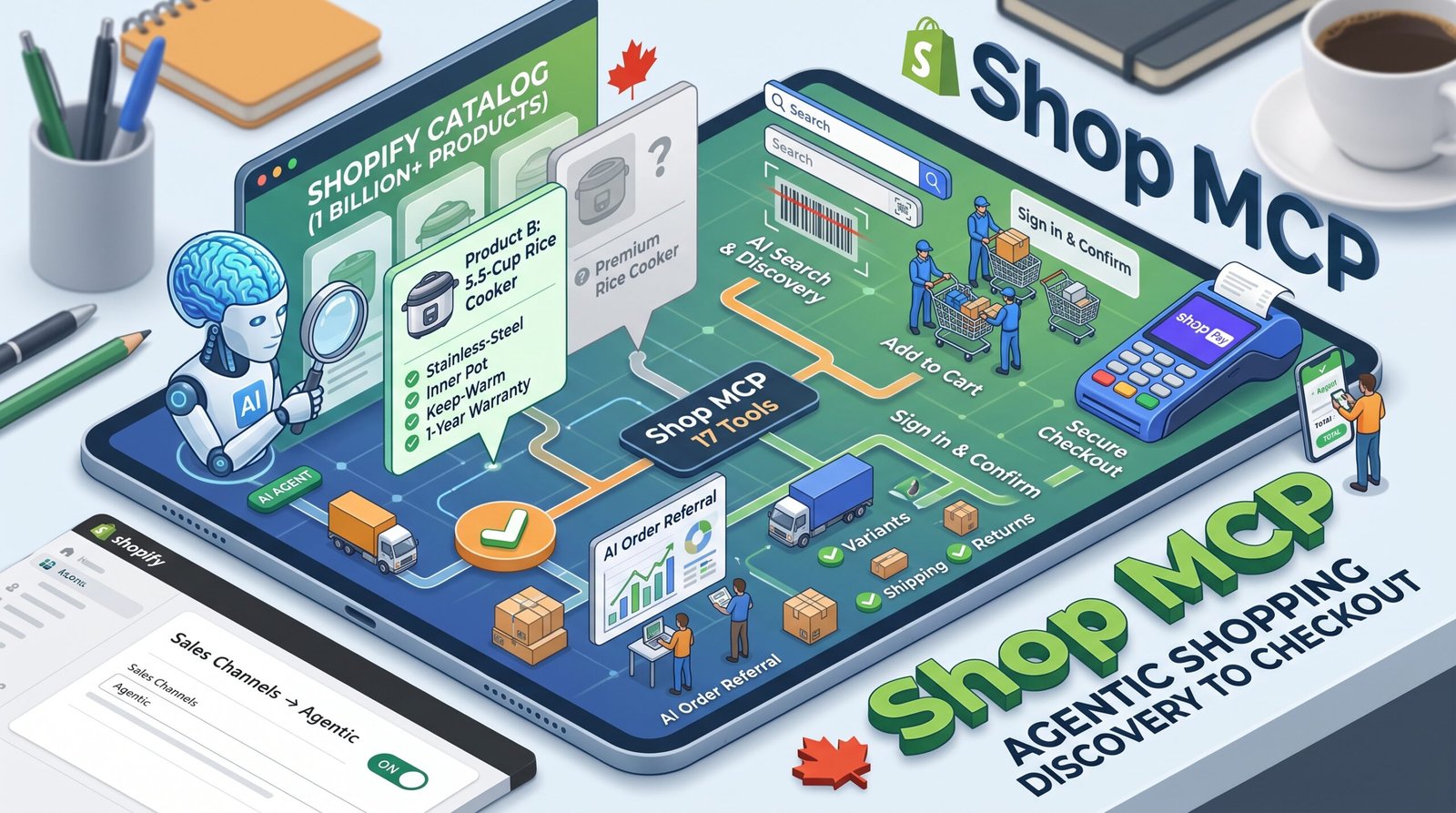
On October 13, Shopify announced Shop MCP, a connection that lets compatible AI agents search Shopify’s product catalogue, build shopping carts and complete checkout with Shop Pay (Shopify developer changelog).
If you run an online store, this is worth understanding even if you never write a line of code.
What was announced
In plain terms, MCP is a standard way for AI assistants to connect to outside tools. Shop MCP is Shopify’s connection for shopping. Based on Shopify’s announcement:
- Agents can search Shopify Catalog, which Shopify says contains more than one billion products. That figure is Shopify’s own claim.
- The connection offers 17 tools covering product discovery, sign-in, carts, checkout and orders.
- Developers can search products without an API key. A key is optional and gives higher usage limits.
- A shopper signs in to use saved sizes, saved addresses and Shop Pay. The agent completes a purchase only after the shopper confirms the total and the payment method.
- Orders placed this way appear in the merchant’s Shopify admin.
Why it matters
Until now, the typical journey looked like this: a customer asks an AI assistant for a recommendation, gets one, then visits your website to buy. With tools like Shop MCP, compatible agents can handle more of that journey, from finding products through to paying.
That changes where product pages sit in the process. Your page design still matters for customers who visit. But before anyone sees it, an AI system may have already decided whether your product fits the request.
Your product data does the talking
An AI agent can’t admire your photography. It reads your product information, so your data decides whether it can identify, compare and understand your product.
Consider two rice cookers.
- Product A: “Premium rice cooker. Powerful and stylish. Great for every kitchen.”
- Product B: “5.5-cup rice cooker with stainless-steel inner pot, keep-warm function, includes measuring cup and spatula, 1-year warranty.”
If a shopper asks for a rice cooker with a stainless-steel inner pot, Product B can be matched with confidence. Product A gives an agent nothing to match, however nice its page looks.
The same goes for a range hood: does it need external venting? What are its airflow, noise level and dimensions? If the answers are missing or buried in an image, an agent may skip the product.
The setting to check
Shopify’s help documentation says AI-channel access is managed in the Shopify admin under Sales channels → Agentic (Shopify Help Center). There you can choose which AI channels your products are sold through. Shopify says Agentic Storefronts is active by default for eligible stores, and that direct checkout, where customers buy without leaving the AI channel, is off by default on its Agentic plan.
Canadian sellers may need to note that the Shop MCP announcement doesn’t say where it’s available, and Shopify’s help page doesn’t list countries. Some capabilities are still rolling out, so always keep check if you haven’t seen any new updates yet.
A product-data checklist
For your top ten products, check that you have:
- A clear, specific title with the brand, model and key feature
- Variants (size, colour, capacity) named consistently
- Full specifications in structured fields, not only in images
- Accurate price and availability
- Clear shipping, returns and warranty information
- Short answers to the questions customers ask most
Measure what happens
Orders appear in your admin with channel or referrer information. Check regularly whether any orders arrive through AI channels, and compare them with your other sources. Without that, you can’t tell whether this is worth your time.
Keep it in proportion
This is new, and parts of it are still rolling out. You don’t need to rebuild your store this week. But product data is something you control, and good data helps on every channel, from search engines to marketplaces to AI assistants.